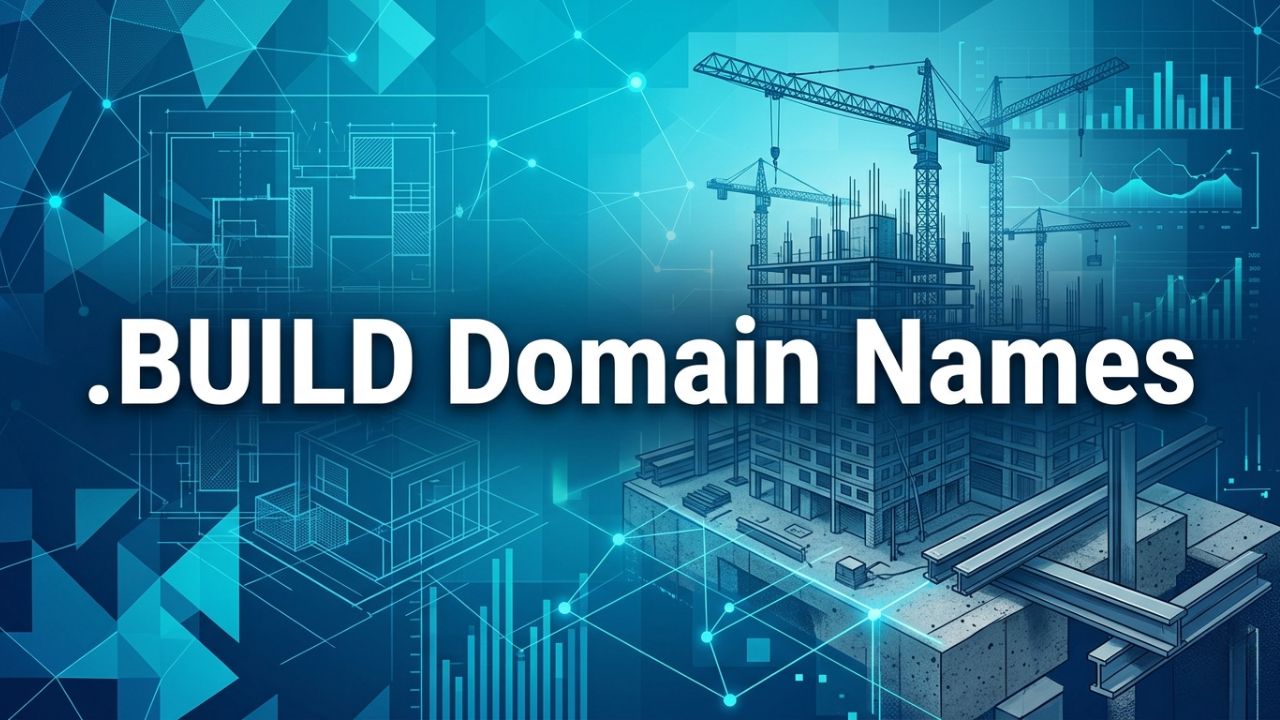
A .BUILD domain name is a specialized top-level domain designed for industries connected to construction, architecture, engineering, infrastructure development, and creative building services. It helps businesses create a strong digital identity that instantly reflects professionalism and purpose. This extension is widely used by construction firms, contractors, architects, developers, and project management companies seeking a clear, industry-relevant online presence.
About .BUILD Domain Names
A .BUILD domain name is designed for businesses and professionals involved in construction, architecture, engineering, and development services. It provides a clear digital identity that immediately communicates industry relevance and expertise. This makes it ideal for contractors, real estate developers, architects, and infrastructure companies looking to establish trust online.
What is a .BUILD Domain?
A .BUILD domain is a specialized web extension created for construction and development-related industries. It represents building, infrastructure, and creation-focused services in a clear and meaningful way. This domain is widely used by construction companies, architects, engineers, and design professionals. It helps establish a strong digital identity that reflects industry expertise. The extension improves clarity and reduces reliance on generic web addresses. Businesses benefit from a more professional and memorable online presence.
This domain also helps build trust among clients seeking construction and development services. It creates a direct connection between the business name and its industry focus. Secure DNS systems ensure stable performance and protection from unauthorized changes. It also supports better brand positioning in competitive markets. Overall, it strengthens identity for businesses involved in building, engineering, and infrastructure development.
 History, Credibility, and Global Popularity of .BUILD Domains
 History, Credibility, and Global Popularity of .BUILD Domains
The .BUILD domain was introduced as part of industry-focused top-level domains designed to improve online identity for specific sectors. It was created to support construction and development professionals with a more relevant digital space. Early adoption came from construction firms, engineering companies, and architectural studios. These industries needed clearer branding options in digital environments. Over time, the extension gained technical stability and recognition.
Global popularity increased as construction and infrastructure industries expanded digitally. Businesses began to understand the value of industry-specific domain names for branding and trust. The .BUILD extension became a preferred choice for companies seeking a strong professional identity online. Secure infrastructure and reliable DNS systems improved adoption across regions. Today, it is widely recognized as a credible domain for the building and construction industry worldwide.
.BUILD Domain Name Registration
Registering a .BUILD domain name helps construction and development businesses secure a strong and relevant digital identity. It is especially useful for contractors, architects, engineers, and infrastructure companies targeting professional audiences. Registration ensures exclusive ownership and prevents unauthorized usage of the domain. Secure verification systems validate identity and maintain trust across global DNS networks. Hiya Digital provides structured registration support to ensure a smooth, reliable setup.
Step-by-Step Process to Register a .BUILD Domain
Registering a .BUILD domain begins with selecting a relevant and brand-aligned name that reflects construction or development services. Availability is checked using a verified domain search system to ensure uniqueness. Once confirmed, ownership details are submitted for validation and compliance review. This step ensures secure registration and prevents duplication or misuse. Accuracy is maintained throughout the process for reliable domain allocation.
After verification, payment confirmation completes the registration process. DNS settings are then configured for stable website performance. Activation grants full control and ownership of the domain. Security systems protect against unauthorized access or changes. This structured process ensures a smooth setup for construction-focused businesses entering the digital space.
Strategic Tips for Choosing the Right .BUILD Domain Name
Choosing the right .BUILD domain requires clarity, simplicity, and strong industry relevance. Short and meaningful names improve recognition and client trust. Avoiding complex structures makes recall and accessibility easier. Including construction-related keywords strengthens branding and search visibility. A well-aligned domain enhances credibility in professional markets.
Strategic selection should also consider long-term business expansion in construction or engineering services. The domain should support future projects and diversified offerings. Consistent naming improves professional authority and brand identity. Secure registration helps prevent misuse or duplication. Proper planning ensures a strong and sustainable digital presence for building-focused businesses.
.BUILD Domain Name Transfer
Transferring a .BUILD domain allows businesses to move their digital assets to a preferred registrar for better control and management. The process ensures secure migration while maintaining DNS stability and uninterrupted website access. Proper authorization is required to verify ownership before initiating a transfer. This helps protect against unauthorized domain movement. Hiya Digital provides secure transfer systems with structured validation processes. These transfers improve operational efficiency and centralize domain management. Construction businesses benefit from improved flexibility and control over digital assets.
How to Transfer Your .BUILD Domain Safely and Securely
The safe transfer of a .BUILD domain begins by unlocking it at the current registrar. An authorization code is generated to verify ownership and initiate the transfer process. The receiving registrar validates this code for security approval. DNS settings must remain unchanged during migration to avoid service interruptions. Once verified, the domain is securely transferred.
After approval, ownership records are updated in the new registrar system. Security checks ensure no unauthorized modifications occur during transfer. Websites remain fully accessible throughout the migration process. Proper validation prevents domain hijacking or data loss. This ensures safe and stable domain movement between registrars.
Common Domain Transfer Issues and How to Avoid Them
Common issues during .BUILD domain transfers include expired authorization codes and incorrect ownership details. These issues can delay or block the transfer process. DNS misconfiguration may also cause temporary downtime. Expired domains can further complicate transfer eligibility. Proper preparation helps prevent these problems.
Avoiding transfer issues requires maintaining updated domain records and valid authentication details. Ensuring DNS stability prevents service interruptions during migration. Regular monitoring improves security and reliability. Timely renewal avoids unnecessary transfer failures. Structured planning ensures smooth migration and stable digital operations for construction businesses.
.BUILD Domain Name Renewal
Managing a .BUILD domain requires consistent attention to renewal timelines to ensure uninterrupted ownership and stable online presence. Domains are registered for fixed periods, and once that period ends, renewal becomes necessary to keep websites, portfolios, and business platforms active. Missing renewal deadlines can lead to downtime, loss of traffic, and even permanent loss of the domain if it becomes publicly available. A proactive renewal approach helps avoid these risks and maintains a continuous digital identity.
When and Why You Should Renew Your .BUILD Domain
Renewing a .BUILD domain before it expires ensures uninterrupted access to websites and digital services. Delayed renewal may result in a temporary suspension, affecting user experience and disrupting the continuity of online operations. Early renewal helps maintain smooth functionality and avoid risks from missed alerts or payment delays.
Timely renewal also protects ownership rights and prevents the domain from entering redemption or becoming available for public registration. Once expired beyond the allowed period, it may be acquired by others, leading to loss of digital identity or brand confusion. Maintaining a consistent renewal cycle ensures long-term control, security, and a stable online presence.
How to Renew a .BUILD Domain with Zero Downtime
Zero-downtime renewal begins by enabling auto-renewal and ensuring payment details remain accurate and active. Automatic renewal processes the extension before the expiration date, reducing the risk of manual oversight or missed deadlines. Monitoring renewal alerts and account notifications adds an extra layer of reliability for timely action.
Renewing the domain in advance ensures uninterrupted functioning of hosting, DNS, and email services. Verifying settings after renewal helps ensure everything continues to operate correctly. Choosing a reliable registrar with strong infrastructure and responsive support ensures smooth renewal and continuous availability.
.BUILD Domain Name WHOIS & Privacy
WHOIS information for a .BUILD domain includes essential contact details such as name, email, and organization. Accurate records are required for compliance and to ensure that important registrar communication reaches the domain owner without delay. Incorrect or outdated information can lead to verification issues or even domain suspension. At the same time, public WHOIS visibility raises privacy concerns, especially when sensitive personal or business data is exposed. WHOIS privacy protection helps address this by masking personal information while maintaining compliance with domain name regulations.
How to Update WHOIS Information Correctly
Updating WHOIS information requires access to the domain management dashboard, where contact details can be edited carefully. Fields such as name, email, and phone number must be entered accurately to avoid errors that could affect verification or communication. Precision is essential for maintaining compliance and ensuring smooth domain operations without disruption.
After updates are submitted, email verification is typically required to confirm the changes. Completing this step promptly ensures that updates are applied without delay or restriction. Regular review of WHOIS records helps maintain accuracy, ensuring that renewal alerts and important notifications are always received on time.
WHOIS Privacy Protection – Keep Your Identity Secure
 WHOIS Privacy Protection – Keep Your Identity Secure
WHOIS privacy protection replaces visible contact details with proxy information, helping reduce exposure to spam and unwanted communication. Without this protection, personal or business data remains publicly accessible, increasing the risk of misuse or identity-related concerns. Privacy protection adds an important security layer for domain owners.
Enabling this feature ensures communication is routed through secure forwarding systems while keeping real details hidden. This allows accessibility without compromising privacy. A balanced approach supports regulatory compliance while maintaining a secure, professional, and trustworthy domain presence.
.BUILD Domain Registry & Accreditation
The .BUILD domain registry operates within a structured ecosystem supported by a central registry and accredited registrars. The registry manages the core database, ensuring domain uniqueness and enforcing policies related to registration, renewal, and dispute resolution. Registrars provide services such as domain registration, renewal, and management tools. Accreditation ensures these providers meet strict standards for security, transparency, and reliability. Understanding this structure helps in selecting a trustworthy domain provider.
Role of the .BUILD Domain Registry
The domain registry serves as the central authority responsible for managing all .BUILD domain records. It ensures each domain is unique, properly assigned, and securely stored within a centralized system. The registry also defines policies for registration, renewal, and dispute handling, maintaining consistency across the domain ecosystem.
Beyond policy enforcement, the registry maintains technical infrastructure that supports DNS resolution and global accessibility. Strong operational standards ensure stability and prevent disruptions. This guarantees that domains remain functional, secure, and accessible across the internet at all times.
Accredited and Authorized .BUILD Domain Registrars
Accredited registrars provide essential services for managing .BUILD domains, including registration, renewal, DNS configuration, and account management. Accreditation ensures reliability, transparency, and strong customer support. Choosing an authorized registrar reduces risk and ensures reliable domain management.
These registrars also offer tools for WHOIS management, privacy protection, and DNS control, making domain management more efficient. Clear processes and responsive support enhance user experience. Selecting a trusted registrar ensures long-term stability, secure operations, and a smooth domain ownership journey.
Technical Information for .BUILD Domains
A .BUILD domain requires a strong technical configuration to support construction companies, architects, contractors, and engineering platforms that rely on a stable online infrastructure. Proper DNS setup ensures that website traffic is routed efficiently, reducing delays and improving user access speeds across different locations. Accurate configuration of DNS records supports essential services like websites, email systems, and project management tools. A reliable technical setup also ensures consistent uptime, which is critical for businesses operating in time-sensitive industries like construction and development.
DNS Settings and Management for .BUILD Domains
DNS settings for a .BUILD domain play a key role in connecting users to websites, project portals, and service platforms without interruption. Proper configuration of records such as A, CNAME, and MX ensures that web services and communication systems function smoothly. A clear DNS structure helps maintain fast load times and accurate routing.
Efficient management tools allow quick updates to DNS records when business needs change, such as moving servers or adding new services. Monitoring features help identify errors early and prevent downtime. Flexible DNS control supports scalability, making it easier for growing construction businesses to expand their digital presence without technical disruption.
Security Features for .BUILD Domains
Security features for .BUILD domains are essential for protecting sensitive project data, client information, and internal communication systems. Domain locking prevents unauthorized transfers, while multi-factor authentication adds an extra layer of account protection. These measures help reduce the risk of cyber threats and unauthorized access.
Advanced security tools such as DNSSEC help verify DNS responses and prevent spoofing attacks. Privacy protection ensures that registration details remain hidden from public databases. Continuous monitoring systems detect suspicious activity early, ensuring the domain remains safe, stable, and reliable for long-term business operations.
Why Register a .BUILD Domain?
A .BUILD domain is highly relevant for businesses in construction, architecture, engineering, and infrastructure development. It instantly conveys the website’s industry relevance, helping visitors understand its purpose without confusion. This clarity improves trust and encourages engagement from potential clients and partners. A strong domain identity also supports branding by aligning digital presence with professional expertise. In competitive industries, a meaningful domain name helps differentiate services and build recognition.
Global Recognition, Trust, and Credibility of .BUILD Domains
A .BUILD domain is recognized globally as a strong indicator of construction and development-related services. It helps establish immediate relevance, making it easier for users to trust the website from the first interaction. This clarity supports stronger engagement and better user confidence.
Credibility improves when the domain consistently reflects professional industry standards. Businesses using .BUILD domains appear more specialized and focused on their field. Over time, this strengthens brand reputation and builds trust among clients seeking reliable construction and infrastructure services.
SEO and Marketing Advantages of .BUILD Domains
A .BUILD domain supports SEO by aligning closely with industry-specific search intent. Search engines can better understand the website’s purpose, improving visibility for construction-related queries. This relevance often leads to higher click-through rates and improved organic traffic.
Marketing efforts also benefit from a clear and meaningful domain extension. It enhances brand recall and strengthens campaign messaging across digital platforms. This consistency improves audience engagement, supports lead generation, and increases overall marketing effectiveness for construction-focused businesses.
How to Register a .BUILD Domain
Registering a .BUILD domain involves a simple and structured process designed for ease of use. It begins with selecting a relevant and available domain name that reflects construction or development services. After confirming availability, the registration process continues with choosing a suitable registration period and completing secure payment. Once registered, access to a domain management panel allows full control over settings, including DNS configuration and security features. Proper setup ensures smooth website performance and reliable access for users.
Complete .BUILD Domain Registration Workflow
The registration workflow starts with searching for a suitable domain name that aligns with the business identity and industry focus. Availability checks confirm whether the desired name is free for registration. Once selected, the process includes entering required details and completing payment through a secure system.
After registration, domain activation allows access to management tools for DNS configuration and security setup. Ownership verification ensures authenticity, while confirmation emails provide essential records. This streamlined process ensures quick setup and immediate usability for business operations.
Best Practices for Long-Term Domain Strategy
A strong long-term domain strategy focuses on consistency, security, and brand alignment. Choosing a clear and relevant domain name helps maintain recognition over time. Enabling auto-renewal ensures continuous ownership and prevents accidental expiration.
Regular updates to security settings and contact information help maintain smooth operation. Monitoring domain performance and protecting access credentials reduce the risk of misuse. With careful planning, a .BUILD domain can become a stable and valuable digital asset that supports long-term business growth.
Why Manage Your .BUILD Domain with Hiya Digital?
Managing a .BUILD domain requires a stable, secure, and highly reliable system tailored for construction, architecture, engineering, and development-focused digital identities. This domain extension clearly represents the building and infrastructure industry, making it a strong choice for companies that want to showcase expertise and credibility in their field. Proper management ensures uninterrupted accessibility, accurate DNS resolution, and consistent performance across all devices and regions. Even minor technical issues can affect visibility and client trust, especially for industry-specific domains that rely on strong professional positioning.
Certified Domain Management Features at Hiya Digital
Certified domain management ensures that industry-focused domains operate with precision, stability, and strong protection. DNS tools ensure accurate traffic routing, providing fast, reliable access for users across different locations. Security features such as domain locking and multi-factor authentication help prevent unauthorized changes and protect critical configurations. Automated renewal systems reduce the risk of expiration, ensuring continuous ownership and uninterrupted website availability. A centralized dashboard simplifies domain operations, making technical management more efficient and user-friendly for all skill levels.
Monitoring systems deliver real-time insights into domain performance and help detect issues before they impact functionality. Backup and recovery tools ensure quick restoration of settings during unexpected disruptions, maintaining operational stability. Integration with hosting and security platforms enhances system performance and ensures seamless connectivity across services. Regular updates keep systems aligned with modern internet standards, ensuring long-term reliability. These certified features create a secure, scalable, and high-performance environment for managing .BUILD domains effectively.
24/7 Technical Support, Strategy, and Expert Assistance
 24/7 Technical Support, Strategy, and Expert Assistance
Continuous technical support ensures uninterrupted performance for industry-specific domains across all time zones. Immediate assistance helps resolve DNS issues, configuration errors, and security alerts quickly, reducing downtime and maintaining accessibility. Round-the-clock availability ensures that websites remain functional even during unexpected technical challenges. Skilled experts provide clear, practical solutions that simplify complex domain management tasks. Reliable support builds trust and ensures consistent digital stability.
Strategic guidance adds long-term value by aligning domain management with broader business and industry growth objectives. Expert insights help improve performance, strengthen security, and enhance online visibility in competitive markets. Proactive monitoring identifies risks early, preventing disruptions from escalating into serious issues. This structured approach improves efficiency and decision-making across digital operations. Combining technical expertise with strategic planning creates a strong foundation for secure, scalable, and effective .BUILD domain management.
.BUILD Domain Name Business Benefits
The .BUILD domain offers strong advantages for businesses operating in construction, architecture, engineering, and related industries. This extension clearly communicates industry relevance, making it easier for clients and partners to understand the nature of services offered. Such clarity builds trust and enhances professional credibility in a highly competitive sector. A well-structured domain improves memorability, making it easier for users to return to the website.
Strong Brand Recognition and Recall
A sector-specific domain creates an immediate connection with construction and development-focused audiences. The .BUILD extension enhances recognition by clearly signaling industry relevance and professional focus. This clarity helps the domain stand out among generic alternatives and strengthens overall brand perception. Consistent use across websites, marketing campaigns, and digital platforms builds familiarity and improves user trust over time. Repeated exposure increases the likelihood that clients will remember the website and revisit it.
Improved recall also strengthens marketing effectiveness by making campaigns more recognizable and impactful. A meaningful domain reduces confusion and enhances engagement across digital touchpoints. Strong recognition improves visibility in search results and industry listings. Over time, this builds authority and strengthens long-term client relationships. The result is a more memorable and trusted professional identity in the construction and development space.
Universal Acceptance Across Industries and Markets
The .BUILD domain supports a wide range of industries within the construction and infrastructure ecosystem. From residential builders and commercial contractors to architects and engineering firms, the extension maintains a clear and professional identity. Its industry-specific relevance allows businesses to expand across sectors while maintaining strong credibility. A unified domain structure ensures consistent user experiences across platforms and services.
Broader acceptance also supports expansion into international markets while maintaining alignment with the industry. As global demand for construction grows, this extension remains highly relevant and effective. It reduces the need for frequent rebranding and helps maintain client trust. A flexible domain strategy supports long-term scalability and operational efficiency. Consistent use across industries strengthens recognition and ensures continued relevance in evolving global markets.
.BUILD Domain Name Alternatives
Exploring alternatives to the .BUILD domain helps create a flexible, future-ready digital strategy for construction and development businesses. Different domain extensions offer varying levels of industry specificity, global recognition, and branding adaptability. Some alternatives provide broader international appeal, while others focus on niche or regional identity. Understanding these differences helps businesses select the most suitable option for long-term growth. A well-chosen domain improves visibility, trust, and usability across digital platforms.
Compare .BUILD with Other Similar Domain Name Extensions
Comparing domain extensions highlights differences in meaning, audience targeting, and branding strength. The .BUILD domain is specifically designed for the construction and development industries, making it ideal for professional positioning. Other general or industry-neutral extensions may offer wider recognition but lack the same level of sector relevance. Some alternatives provide flexibility but may not communicate construction expertise as clearly. Each extension serves different strategic purposes depending on business goals and the target audience.
Key considerations include clarity, memorability, and alignment with the industry. Globally recognized domains may improve reach, while niche extensions enhance relevance and trust. Ease of understanding also plays a major role in effectiveness. A balanced comparison ensures the selected domain aligns with branding and communication objectives. This approach helps create a strong, consistent, and industry-relevant digital presence.
When It Makes Strategic Sense to Choose an Alternative TLD
Choosing an alternative TLD becomes important when a broader audience reach or diversified branding is the priority. Businesses targeting multiple industries or international clients may prefer more generic extensions for wider accessibility. In such cases, clarity and universal familiarity take precedence over industry-specific identity. A different domain can help improve communication across varied markets and client groups.
Alternative domains are also useful when scalability and simplicity are key objectives. Shorter or more widely recognized extensions can improve recall and reduce user confusion. This is especially beneficial for companies planning expansion beyond the construction sector. Selecting the right domain requires balancing identity, reach, and long-term strategy. A well-informed choice ensures flexibility, consistency, and a strong digital presence across evolving global business environments.
.BUILD Domain Name Features
The .BUILD domain offers a strong foundation for construction-focused businesses and digital platforms. It clearly communicates industry relevance, making it easier for clients to understand the nature of services offered. This extension follows global DNS standards, ensuring full compatibility with hosting providers, website builders, and cloud-based applications. It is suitable for contractors, architects, engineering firms, and construction technology companies. Fast DNS resolution and stable uptime ensure reliable access to project portfolios, service listings, and client portals.
Minimum and Maximum Length Requirements
The length of a .BUILD domain plays an important role in branding, usability, and online visibility. Domain names can range from 1 to 63 characters, excluding the extension. Short domain names are highly effective because they are easy to remember, quick to type, and simple to share across marketing channels. They also help improve recognition in search results and business communications.
Longer domain names can include descriptive construction-related keywords such as “construction,” “projects,” or “engineering,” but they should remain clear and readable. A balanced length improves user experience and reduces the chance of typing errors. Since simplicity is important in construction branding, shorter and more direct names are often preferred. However, meaningful longer names can still be effective when structured properly. Choosing the right length ensures better memorability, stronger branding, and long-term usability across digital platforms and client interactions.
Built-in Security and Protection Features
Security is essential for construction and project management platforms, and the .BUILD domain includes important protection features. DNSSEC helps prevent unauthorized changes to domain data, reducing the risk of spoofing and redirection attacks. Registrar-level security ensures ownership protection and prevents unauthorized domain transfers. These safeguards help maintain a stable and secure online presence for business operations.
Additional features like domain locking and WHOIS privacy protect sensitive registration details from misuse. These tools reduce exposure to phishing attempts, spam, and unauthorized access. Regular monitoring and renewal management further strengthen domain safety over time. A secure domain builds trust with clients and partners, especially in industries where project data and communication are critical. Combining technical safeguards with effective domain management ensures a reliable, professional digital foundation for construction-focused businesses.
.BUILD Domain Name Requirements
Registering a .BUILD domain requires following specific guidelines that ensure proper use within the construction and development ecosystem. These requirements help maintain consistency, trust, and relevance across industry-related websites. Domain names must follow standard formatting rules and meet character requirements. Accurate registration details are required for verification and long-term management. The domain is intended for businesses, professionals, and organizations involved in construction, architecture, engineering, or related services. The chosen name should clearly reflect industry relevance.
Eligibility Criteria for Registering a .BUILD Domain
Eligibility for a .BUILD domain is generally open to construction companies, architects, engineers, contractors, and related service providers. The domain name should reflect construction, building services, or infrastructure development to ensure relevance. There are no strict geographic limitations, allowing global registration, but accurate information must be provided during verification.
Some registrars may require validation to confirm business legitimacy and prevent misuse of industry-specific domains. This helps maintain a trusted and professional online environment. It is also important to avoid trademark conflicts or misleading names that could confuse users. Following these guidelines ensures smooth registration and reduces the risk of disputes. Meeting eligibility criteria helps establish a credible and professional digital identity in the construction and building industry.
Reserved Names and Prohibited Terms
Certain names within the .BUILD domain are reserved to protect industry standards and maintain digital order. These include names associated with government agencies, regulatory bodies, and major construction authorities. Unauthorized registration of such names may result in rejection or cancellation. Reviewing restrictions before selecting a domain helps ensure compliance.
Prohibited terms include offensive language, misleading claims, or names that could confuse users about official construction services. These rules are important for maintaining trust and clarity in the industry. Choosing a compliant and meaningful domain strengthens credibility and supports professional branding. A well-selected name reflects reliability and ensures responsible use of digital identity. Following these guidelines helps maintain a safe and transparent online environment for construction-focused platforms.
.BUILD Domain Hosting Services by Hiya Digital
Reliable hosting is essential for maintaining the performance of a .BUILD domain, especially for construction companies managing portfolios, project updates, and client communication. Hiya Digital provides hosting solutions focused on speed, scalability, and security. These services ensure stable uptime and consistent performance for industry-specific websites. Seamless integration allows quick setup and smooth operation across platforms. Advanced infrastructure delivers fast load times, improving the user experience for clients and stakeholders.
Advantages of Hosting Your .BUILD Domain with Hiya Digital
 Advantages of Hosting Your .BUILD Domain with Hiya Digital
Hosting a .BUILD domain with Hiya Digital provides strong performance and dependable infrastructure for construction-focused businesses. High-speed servers ensure fast website loading, improving accessibility for clients and partners. Consistent uptime guarantees keep project portfolios and service pages available at all times, which is essential for business credibility. Built-in security features such as firewalls and backups protect important data.
Scalability enables hosting resources to grow as traffic and project demands increase. User-friendly control panels simplify website and domain management tasks. Responsive technical support ensures quick issue resolution, minimizing downtime. These advantages create a stable and efficient hosting environment. Reliable hosting is key to supporting long-term growth and maintaining a professional digital presence in the construction industry.
How to Set Up Hosting for Your .BUILD Domain
Setting up hosting for a .BUILD domain begins with selecting a hosting plan suited for construction or business websites. After purchase, the domain must be connected by updating DNS settings to point to the hosting server. This ensures users are directed to the correct website or project platform. Most providers offer simple setup instructions to make configuration easy.
Once connected, website files, project portfolios, or service details can be uploaded through the control panel. Enabling SSL certificates and optimizing performance settings improves both security and speed. Regular updates and monitoring help maintain stable operation. A properly configured hosting setup ensures smooth performance and reliable access for users across construction-related digital platforms.
Case Studies & Real-World Success Stories Of .BUILD Domain Name
Case Study 1: Industrial Construction Company Expansion
Client Profile
A mid-sized industrial construction company focused on large-scale infrastructure and commercial building projects. The company was in a rapid expansion phase, targeting international clients and government contracts.
Challenge
The business struggled to stand out in a crowded construction sector where many competitors used generic domain names. This led to reduced online visibility and lower trust from international stakeholders.
Solution
Hiya Digital conducted a full domain audit and recommended transitioning to a .BUILD domain to align with industry identity. A structured migration plan was implemented to ensure zero downtime and preserve SEO value.
Result
After adopting the .BUILD domain, the company experienced stronger brand recall and improved trust among international partners. Website engagement increased as users quickly identified the business as a specialized construction provider.
Case Study 2: Architecture Startup Branding Transformation
Client Profile
A young architecture startup specializing in modern residential and eco-friendly building designs. The firm was in its early growth stage, targeting urban homeowners and boutique real estate developers.
Challenge
The startup initially used a generic domain that failed to communicate its architectural focus. This created confusion among potential clients and reduced brand memorability. Competitors with stronger digital identities were gaining greater online visibility.
Solution
Hiya Digital proposed migrating to a .BUILD domain to better reflect architectural creativity and industry specialization. The transition included refining the brand identity, updating visual assets, and optimizing the website structure.
Result
The new domain significantly improved brand recognition and client engagement. Visitors spent more time exploring project portfolios due to clearer positioning and stronger visual identity.
Get a Free Quote for Your .BUILD Domain
A strong digital identity starts with the right domain choice, and .BUILD offers a clear advantage for construction and architecture brands. Hiya Digital helps simplify the entire registration process with expert guidance and reliable support at every step. The focus remains on helping businesses choose a domain that matches their industry and long-term vision. Whether launching a new project or upgrading an existing website, the right domain can make a lasting difference. Get personalized assistance, explore availability, and secure a .BUILD domain that strengthens brand credibility. Reach out today to receive a free quote and take the next step toward building a stronger online presence with confidence.
Frequently Asked Questions About .BUILD Domain Names
What is .BUILD domain name?
The .BUILD domain is a generic top-level domain (gTLD) created for the construction, architecture, engineering, and building industries. It is designed to give websites related to building projects, construction services, and infrastructure development a clear identity.It works like other domain extensions, such as .com or .net, but with a more industry-specific meaning. It helps businesses instantly communicate their niche through their web address.
What does .BUILD domain represent?
The .BUILD domain represents growth, construction, creation, and development. It is commonly associated with companies involved in physical construction, real estate development, and infrastructure services.It can also represent digital “building,” such as software development, platforms, or creative projects. This makes it flexible for both physical and digital industries.
Is .BUILD domain suitable for all types of websites?
The .BUILD domain is best suited for construction-related businesses, engineering firms, architects, and contractors. It clearly signals industry relevance to visitors.However, it is not limited strictly to construction. Creative agencies, developers, or startups focused on “building” products or systems can also use it effectively.
What is the difference between .BUILD domain and other TLDs?
The main difference is specialization. While .com is general-purpose, the .BUILD domain is industry-focused and communicates a clear theme.This helps businesses stand out in their niche. It also improves branding by immediately telling users what the website is about.
What is .BUILD domain name registration?
.BUILD domain registration is the process of reserving a unique .BUILD a web address through a domain registrar. Once registered, the domain is yours for a fixed period.It works like other domain registrations, allowing you to connect the domain to a website, email, or online service.
How does .BUILD domain name registration work?
You start by searching for an available .BUILD a domain name through a registrar. If the name is available, you can proceed with registration.After payment and verification are complete, the domain is activated under your ownership. You can then configure DNS settings and link them to your website.
How long does it take to register .BUILD domain?
Registration is usually very fast and often completes within a few minutes. In some cases, full DNS propagation may take up to 24–48 hours.Once the process is complete, the domain becomes usable across the internet.
What are the requirements to register .BUILD domain?
There are generally no strict restrictions for registering a .BUILD domain. Basic contact details like name, email, and address are required.Some registrars may require verification, but most individuals and businesses can register it easily without special eligibility requirements.
Who can register .BUILD domain name?
Anyone can register a .BUILD domain, including individuals, companies, freelancers, and organizations. It is open globally.It is especially popular among construction and development professionals, but not limited to them.
Can individuals and businesses both register .BUILD domains?
Yes, both individuals and businesses can register .BUILD domains without restriction. It is open to anyone interested in the name.This makes it flexible for personal branding, startups, and large enterprises alike.
How much does .BUILD domain name registration cost?
The cost of a .BUILD domain depends on the registrar you choose. Pricing is usually set based on standard domain market rates.Additional features, such as privacy protection or premium names, may affect the total cost.
Is the .BUILD domain registration price be the same every year?
No, renewal pricing may differ from the initial registration cost. Some registrars offer discounted first-year pricing.Renewal rates are usually standard and may vary based on market conditions or provider policies.
Can I register .BUILD domain for multiple years?
Yes, you can register a .BUILD domain for multiple years in advance. This helps secure long-term ownership.It also reduces the risk of forgetting to renew the domain and losing it.
What happens after I register .BUILD domain?
Once registered, the domain is fully yours for the selected period. You can connect it to a website, email service, or hosting platform.You can also manage DNS settings, renewals, and security options through your registrar account.
How can I check if .BUILD domain name is available?
You can check availability using any domain registrar’s search tool. Enter your desired .BUILD name to see results.If it is taken, the system may suggest similar alternatives or variations.
What should I do if my desired .BUILD domain is already taken?
If your preferred domain is taken, try adding additional words, industry terms, or brand elements. This helps create a unique identity.You may also check if the domain is available for purchase from the current owner.
Can I buy a premium or already-registered .BUILD domain?
Yes, premium .BUILD domains can often be purchased through marketplaces or auctions. These domains are usually short, memorable, or highly brandable.Already-registered domains may be available for resale at different prices depending on demand.
How do I choose the best .BUILD domain name for my business?
Choose a name that is simple, relevant, and easy to remember. It should clearly reflect your brand or construction-related services.Avoid complicated spelling and keep it short to improve recognition and trust.
What is .BUILD domain name renewal?
Renewal means extending your domain ownership before it expires. Without renewal, the domain may become available for others to register.Renewal ensures your website and email continue running without interruption.
When should I renew .BUILD domain?
It is best to renew your domain before the expiration date to avoid service disruption. Most registrars send reminders in advance.You can also enable auto-renewal to ensure continuous ownership without manual action.
What happens if I forget to renew my .BUILD domain?
If the .BUILD domain is not renewed on time; it will expire and stop working. Your website and connected email services may become inactive. Visitors will be unable to access your site, which can undermine trust and reduce traffic. This can be critical for business or project visibility.After expiration, the domain may enter a grace or recovery period depending on the registrar. If not recovered in time, it can be released back to the public. Once released, anyone can register it. This may result in permanent loss of ownership.
Is there a grace period after .BUILD domain expiration?
Yes, most registrars provide a grace period after expiration. During this time, you may still renew the domain without losing ownership. However, the website and email services may remain inactive. This period is meant for safe recovery.If the grace period ends, the domain may enter a redemption phase. Recovery is still possible but may require additional steps or approval. After this stage, the domain may be deleted. Acting quickly helps avoid permanent loss.
How much does .BUILD domain renewal cost?
The renewal cost of a .BUILD domain depends on the registrar you choose. Different providers may offer different pricing structures and service packages. Renewal is usually charged annually. It is best to check directly with your provider.Some registrars offer discounts for long-term renewals. Additional services, such as privacy protection or DNS tools, may also affect the total cost. Pricing can vary based on promotions or plans. Always review renewal details before expiry.
Can I enable auto-renewal for .BUILD domain?
Yes, auto-renewal is commonly available for .BUILD domains. It automatically renews your domain before it expires. This helps prevent accidental expiration. Most registrars allow enabling it from the account dashboard.Once activated, payments are processed using your saved method. It is important to keep payment details up to date. Auto-renewal ensures uninterrupted ownership. It is highly recommended for active websites.
Can I renew my .BUILD domain for multiple years at once?
Yes, most registrars allow multi-year renewal for .BUILD domains. You can extend your domain registration for several years in advance. This helps avoid yearly renewal worries. It also provides long-term stability.Multi-year renewal reduces administrative work and improves convenience. Businesses and long-term projects often prefer it. Availability depends on registrar policies. Always check your renewal options before selecting.
What is .BUILD domain name transfer?
A domain transfer is the process of moving your .BUILD domain from one registrar to another. It allows you to change providers without losing ownership. This is usually done for better pricing, features, or support. The domain itself remains the same.During transfer, only the management changes, not the domain ownership. You may need an authorization code to begin the process. Once completed, the new registrar manages your domain settings. Your website continues to function normally.
When should I transfer .BUILD domain to another registrar?
The best time to transfer is before your domain expires. This ensures a smooth, uninterrupted process. It is also helpful when you want better pricing or features. Planning is always safer.You should also consider transferring if support is not satisfactory. Some users switch for improved DNS tools or security options. Avoid transferring at the last moment before expiry. Early transfer ensures stability and control.
How do I transfer .BUILD domain name?
To transfer, first unlock your domain from the current registrar. Then request an authorization (EPP) code. This code is needed to start the transfer process. You provide it to the new registrar.After submission, the transfer request is processed and verified. You may need to confirm through email approval. Once completed, the domain moves to the new provider. The process is simple but requires careful attention to detail.
How long does .BUILD domain transfer take?
Domain transfer usually takes a few days to complete. The exact duration depends on registrar processes and verification speed. Some transfers may finish faster if approvals are quick. Security checks are part of the process.Delays may occur if confirmation emails are missed or ignored. Each step must be completed properly. Planning helps avoid disruptions. Overall, it is a predictable process.
Is there any downtime during .BUILD domain transfer?
In most cases, there is no downtime during the domain transfer. Your website and email services continue to function normally. Only the registrar managing the domain can change it. This ensures an uninterrupted online presence.However, incorrect DNS changes can cause issues. It is important to keep settings unchanged during transfer. Proper handling ensures smooth continuity. Most transfers are seamless when managed correctly.
What are the requirements for transferring .BUILD domain?
The domain must be unlocked before transfer. You also need a valid authorization (EPP) code from the current registrar. The domain should not be expired or under dispute. These are basic requirements.Some registrars may also require a waiting period after registration. Email verification is usually part of the process. Ensuring correct details helps avoid delays. Meeting requirements ensures a successful transfer.
Does transferring .BUILD domain extend its validity?
Yes, most domain transfers include an extension of the validity period. Typically, one additional year is added to the registration period. This ensures you gain extra value during transfer. It is a standard industry practice.The extension is added to your existing expiration date. This means you do not lose remaining time. Policies may vary slightly between registrars. Always confirm details before initiating transfer.
Is there a cost to transfer .BUILD domain?
Yes, a domain transfer usually includes a fee. This fee is generally linked to renewal extension. It is not just a transfer charge; it is part of the domain registration fee. Costs depend on the registrar.Some providers include extra services during transfer. These may include privacy protection or DNS tools. It is important to compare providers before choosing. Always review what is included.
What is .BUILD domain name management?
Domain name management refers to controlling all settings of your .BUILD domain. This includes DNS, renewal, contact information, and security settings. It is handled through a registrar dashboard. Proper management ensures smooth operation.It also includes monitoring expiration and updating ownership details. You can configure email routing and subdomains as needed. Good management improves performance and reliability. It is essential for maintaining an online presence.
What features are included in .BUILD domain management?
Domain management features include DNS control and renewal settings. You can also manage subdomains and forwarding options. These tools give full control over your domain. Everything is accessible in one dashboard.Other features may include domain locking and privacy protection. Some registrars also provide monitoring tools. These features improve security and usability. They simplify domain administration.
How do I update the contact details for my .BUILD domain?
You can update contact details from your registrar account dashboard. Log in and go to domain settings. From there, you can edit email, phone, and address details. Changes may require verification.Keeping details up to date is important for communication. It ensures you receive renewal and security alerts. Incorrect details may lead to missed notifications. Always maintain accurate information.
How can I manage DNS settings for .BUILD domain?
DNS settings are managed through the domain control panel. You can add or edit records like A, MX, and CNAME. These records connect your domain to websites and email services. Proper setup is essential for functionality.Changes may take time to propagate globally. Incorrect settings can affect website accessibility. Always follow the correct configuration steps. DNS management is a key part of domain control.
Can I lock .BUILD a domain to prevent unauthorized transfers?
Yes, domain locking is a standard security feature. It prevents unauthorized transfer attempts. When locked, the domain cannot be moved until it is unlocked. This adds protection.You can enable or disable this feature anytime. It is recommended to keep it enabled most of the time. Only unlock when you need to transfer. This helps prevent misuse.
How do I turn on or off domain privacy for .BUILD domain?
Domain privacy can be managed in the registrar’s settings. You can enable it to hide personal information from public WHOIS records. This helps reduce spam and protect identity. It is usually easy to toggle.Turning it off makes your details publicly visible again. Some registrars include privacy by default. Always check policies before making changes. Privacy improves online security.
What is WHOIS privacy for .BUILD domains?
WHOIS privacy hides your personal registration details from public databases. Instead of your real data, proxy information is shown. This helps protect identity and reduce spam. It is widely used for security.It does not affect domain ownership or functionality. Only public visibility changes. Many registrars offer it as a standard feature. It is recommended for safer domain management.
Is WHOIS privacy included with .BUILD domain registration?
WHOIS privacy for a .BUILD domain depends on the registrar you choose. Some domain providers include it free of cost, while others offer it as a paid feature. It is not automatically guaranteed for every registration.When enabled, WHOIS privacy hides your personal details, such as your name, email, and phone number, from public databases. This helps reduce spam and protects your identity online. It is highly recommended for both individuals and businesses.
Why is WHOIS privacy important for my .BUILD domain?
WHOIS privacy is important because it protects your personal information from public access. Without it, anyone can view your registration details through lookup tools. This can lead to spam and unwanted contact.It also reduces the risk of phishing and identity misuse. For business owners, it helps maintain a more secure and professional image. Overall, it adds an important layer of privacy to your domain.
How can I protect my .BUILD domain from hijacking or misuse?
To protect your domain, always use a strong password for your registrar account. Enable two-factor authentication for added security. This helps prevent unauthorized access.You should also enable domain lock or transfer protection. This prevents unwanted domain transfers. Regular monitoring of your account helps detect suspicious activity early.
Do I need hosting to use .BUILD domain?
No, hosting is not required to register a .BUILD domain. You can purchase and own the domain without building a website immediately. It simply reserves your online identity.However, hosting is needed if you want to create a website or web application. The domain acts as your address, while hosting stores your website files. Both work together but are separate services.
Can I buy .BUILD domain without hosting?
Yes, you can buy a .BUILD domain without purchasing hosting. Domain registration and hosting are completely separate services. You only need a registrar to secure your domain name.Later, you can connect it to any hosting provider. This gives flexibility to plan your website at your own pace. Many users register domain names early to secure their branding.
Can I use my .BUILD a domain with any hosting provider?
Yes, a .BUILD domain can be used with almost any hosting provider. You need to update DNS settings or nameservers. Most hosting companies support generic domain extensions like .BUILD.This gives you full freedom to switch providers at any time. You are not locked into one platform. It ensures better control over performance and pricing.
How do I point my .BUILD a domain on my hosting server?
You can point your domain by updating DNS settings in your registrar dashboard. The simplest method is to change the nameservers provided by your hosting provider. This connects your domain to the server.Alternatively, you can configure A records or CNAME records. DNS changes may take a few hours to propagate globally. After that, your website becomes live on your domain.
Can I use .BUILD domain only for email services?
Yes, you can use a .BUILD domain only for email services without a website. You can connect it to email hosting providers like Google Workspace or similar services. This helps create professional email addresses.Even without a website, your domain builds brand identity. It makes communication more trustworthy. Many businesses use domains solely for email branding.
What are the benefits of registering .BUILD domain?
A .BUILD domain is ideal for construction companies, developers, architects, and project-based businesses. It clearly represents growth, creation, and development. This makes branding more meaningful.It also offers better name availability compared to traditional extensions. You can secure short and relevant domain names easily. This improves marketing and brand identity.
Why is .BUILD the most popular domain extension?
Its popularity stems from its strong connotations of construction and creation. It is widely used by the building and development industries. This makes it highly relevant and memorable.It also offers good availability for brand names. Businesses prefer it for niche branding. Its clarity and industry relevance make it increasingly popular.
Does .BUILD domain help with SEO?
A .BUILD domain does not directly improve global SEO rankings. However, it can support niche and industry-specific relevance. Search engines may associate it with construction-related content.It can improve click-through rates in relevant searches. This indirectly supports SEO performance. Strong content and optimization still matter most.
Is .BUILD domain better for global businesses?
It is better suited for construction, architecture, and development industries. For global general-purpose branding, .com may still be more widely recognized. The choice depends on business focus.For niche industries, it works very well internationally. It helps clearly communicate the business purpose. Many companies use it alongside other domains.
Can .BUILD domain improve brand credibility and trust?
Yes, it can improve credibility within the construction and development industries. It shows clear industry relevance and professionalism. This helps build trust with customers.It also makes your brand easier to understand. Customers feel more confident dealing with a focused business identity. This can positively impact engagement.
What is the minimum and maximum length of .BUILD domain?
The domain name must comply with ICANN’s standard rules. The minimum length is usually 1 character, and the maximum is 63 characters before the extension. This applies to all domain types.Shorter names are strongly recommended for branding. They are easier to remember and type. Simple names improve visibility and marketing.
Can .BUILD domain contain numbers or hyphens?
Yes, numbers and hyphens are allowed in .BUILD domains. However, they must follow proper formatting rules. Hyphens cannot be used at the beginning or end.Even though allowed, it is better to avoid complex combinations. Simple domain names are easier to recall. This improves user experience and branding.
Are there any restrictions on .BUILD domain names?
Yes, certain restrictions apply based on registry rules. You cannot use offensive, illegal, or trademark-protected names. Some reserved terms may also be restricted.The domain must follow proper formatting rules. It should not exceed length limits or include invalid characters. Always check availability and rules before registration.
Can I change my .BUILD domain name after registration?
No, domain names cannot be changed after registration. Once purchased, the name is permanently linked to your account. You would need to register a new domain for a different name.However, you can change your hosting, DNS settings, and configurations at any time. Ownership remains the same until expiry or transfer. Choosing the right name initially is important.
Can I sell or transfer ownership of my .BUILD domain?
Yes, you can sell or transfer ownership of a .BUILD domain. Most registrars support domain transfers. This requires authorization and account verification.Make sure the domain is unlocked before transferring. Always confirm buyer details and payment terms. This ensures a smooth and secure transfer process.
What support is available for .BUILD domain issues?
Most registrars offer 24/7 customer support for domain issues. Support includes DNS help, renewal assistance, and technical troubleshooting. Many also provide live chat and email support.Advanced support may include recovery and security help. Choosing a reliable registrar ensures better assistance. Good support makes domain management easier.
How do I recover a lost or expired .BUILD domain?
If a domain expires, it usually enters a grace period. During this time, you can renew it at standard cost. After that, recovery may require additional fees.Contact your registrar immediately for assistance. Fast action increases chances of recovery. Enabling auto-renewal helps prevent loss.
What happens if my .BUILD domain is suspended?
If suspended, your website and email services will stop working. Suspension may occur due to policy violations or payment issues. The domain becomes inactive temporarily.To restore it, you must resolve the issue with your registrar. Once fixed, the domain is reactivated. Regular compliance helps avoid suspension.
Where can I manage all my domains in one place?
You can manage all domains from your registrar’s control panel. This dashboard allows DNS editing, renewals, and security settings. It keeps everything organized in one place.Some users also use centralized domain management tools. These platforms help manage multiple domains efficiently. It saves time and reduces errors.